
What Is Auto Call?
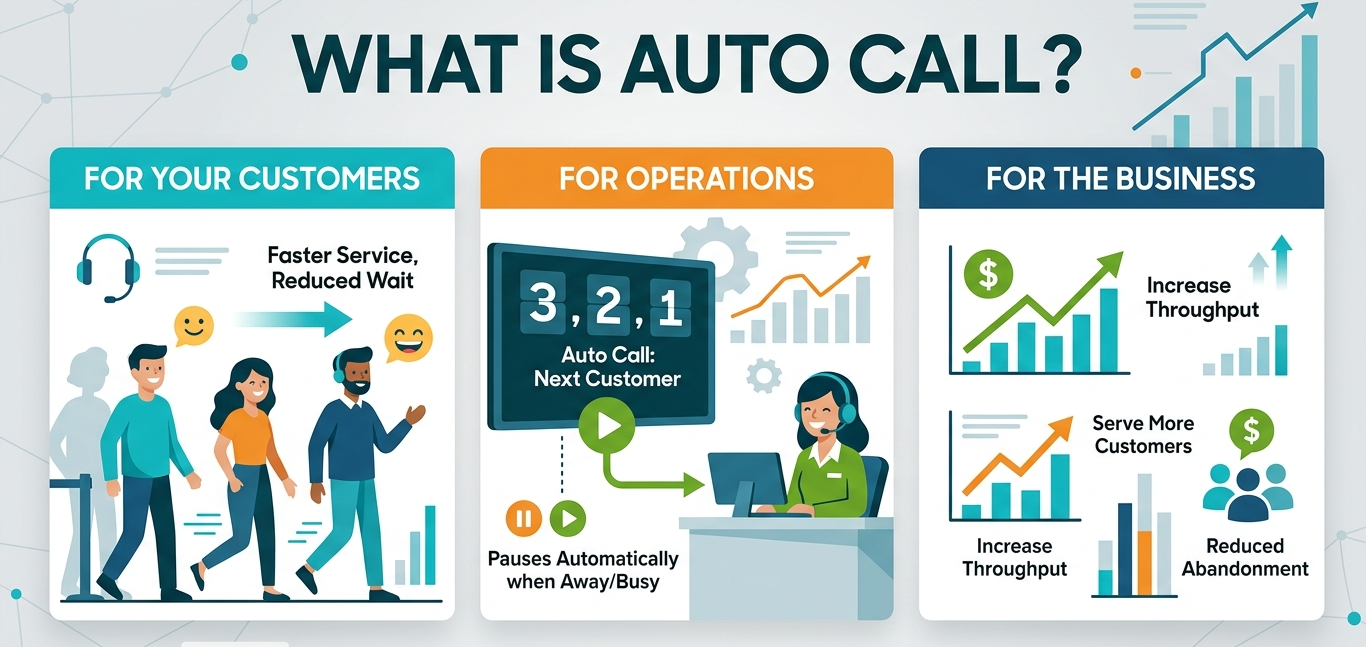
Auto Call is a Queue View setting that automatically triggers "Call Next" after a configurable delay, reducing idle time and maintaining service flow without requiring the associate to manually initiate each call. A countdown timer is visible to the associate before the call triggers. If the associate is already with a customer, marked as Away in the Queue, or on another Qtrac screen or window, the countdown pauses automatically, ensuring Auto Call only fires when the associate is genuinely idle.
Why Does It Matter?
For Your Customers
Customers experience shorter idle gaps and faster movement through the queue during peak periods. Reducing the time between service ending and the next customer being called directly shortens the perceived and actual wait time for everyone in line.
For Operations
Auto Call enforces consistent queue discipline without requiring supervisors to monitor and prompt associates. It maintains steady throughput automatically, reducing reliance on manual behavior during high-volume periods.
For the Business
Higher throughput means more customers served per hour without adding headcount. Lower abandonment means fewer walkaways during peak demand. These are direct, measurable outcomes that show up in Insights reporting as throughput improvement and reduced abandonment rate.
Industry Use Cases
- Retail: A high-volume returns counter gets slammed. Auto Call keeps the line moving by automatically calling the next customer after a short delay so associates maintain momentum between transactions.
- Government: A service counter has steady foot traffic. Auto Call maintains continuous flow while still respecting away and serving states so staff are not left active without a customer in front of them.
- Financial Services: A teller window alternates between walk-ins and appointments. Auto Call reduces idle gaps by automatically advancing the queue so time-to-service stays tight during busy windows.
- Education: A registrar or advising front desk hits peak enrollment volume. Auto Call helps maintain steady throughput by automatically calling the next student so lines do not stall when staff are juggling tasks.
The Baseline to Activate to Prove Framework
Before activation, baseline your idle time between calls and your time-to-service metric in Insights. After activation, prove throughput improvement by showing the reduction in idle gaps and any corresponding improvement in abandonment rate or customer volume served per hour.
If you think this feature is applicable to your company you can check out the following articles to find out more.
If you still have any questions, please feel free to get in touch with our Qtrac Support.
Was this article helpful?
Articles in this section
- Introducing Associate Interface Language
- Introduction to the Charts & Pivots Output Insights types
- Auto Call: Keeping Queues Moving Without Manual Intervention
- Service Guides: Standardizing Excellence at the Moment of Service
- Customer Properties: A Persistent Data Layer That Remembers Every Customer
- Insights - Data Dictionary
- How to Join a Virtual Waiting Line
- How a Greeter Adds a Customer to a Virtual Queue by Qtrac
- How to Call a Customer from the Virtual Waitlist
- The Virtual Queue: Effective Use When Foot Traffic is Low